FTC Click-to-Cancel Rule: Complete Compliance Guide
Navigate FTC click-to-cancel compliance requirements with this comprehensive guide. Learn what the rule requires, what's prohibited, and how to build a compliant cancellation flow.
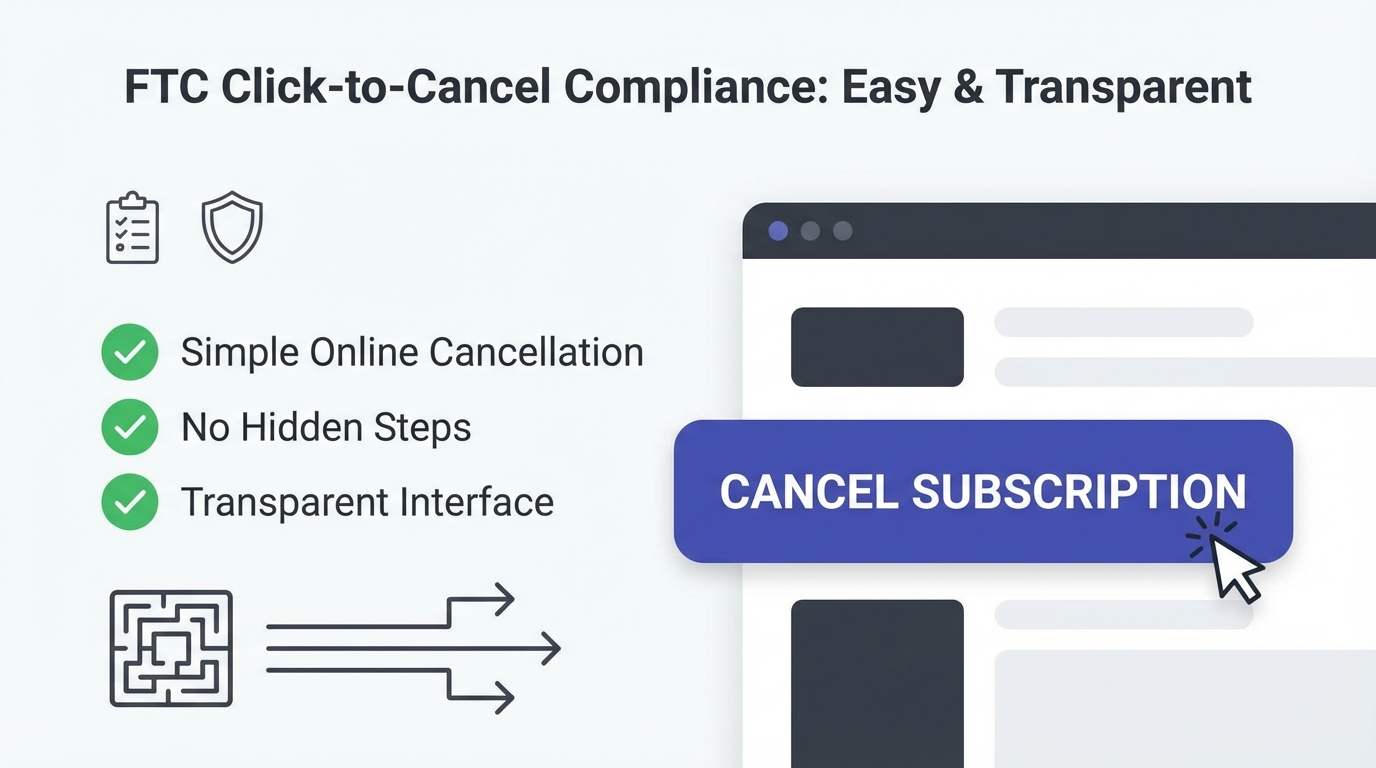
In January 2025, the FTC's "Click-to-Cancel" rule went into effect. If you run a SaaS business that requires customers to accept terms and conditions during signup, this rule applies to you—regardless of whether you're funded, how big you are, or what industry you serve.
The rule is straightforward in concept: making it as easy to cancel as it was to sign up. In practice, it means rethinking your cancellation flow, rewriting your terms, and potentially accepting higher churn rates in the short term.
But here's the thing: many companies are already way out of compliance, and the FTC is actively enforcing the rule. The cost of non-compliance isn't theoretical—it's millions in potential fines, reputational damage, and forced refunds.
This guide walks through exactly what the rule requires, what it prohibits, and how to build a cancellation experience that's both compliant and defensible.
What is the FTC Click-to-Cancel Rule?
The FTC (Federal Trade Commission) enacted the "Negative Option Rule," which governs how subscription services work. The Click-to-Cancel rule is the enforcement mechanism that became mandatory January 10, 2025.
The Rule Applies To
- Any company that charges recurring fees (subscription or membership)
- Any subscription service where the customer enrolls by accepting terms
It Does NOT Apply To
- One-time purchases
- Contracts that require 12+ months commitment upfront
What the Rule Requires
| Requirement | Description |
|---|---|
| Equal Ease | Cancellation must be as easy as signup |
| Same Method | Cancellation must use the same method as signup (if online → online cancel) |
| No Dark Patterns | No obstructive friction or manipulative design |
| Clear Confirmation | Immediate confirmation and annual reminder emails |
What Triggered the Rule
Amazon Prime making you click through 5 screens to cancel. LinkedIn hiding the cancel button and only offering phone cancellation. Companies deploying dark patterns designed to make cancellation harder than signup.
The FTC got tired of it and made it law.
Key Requirements: The Essentials
1. Cancellation Must Be as Easy as Signup
This is the core requirement. If your signup flow takes 2 minutes—clicking a button and confirming email—your cancellation flow can't require a phone call, support ticket, or 10-minute process.
What "as easy as signup" means:
- Same number of clicks (±1 click)
- Same time investment (2-3 minutes max)
- Same level of friction (no pop-ups, warnings, or obstacles)
2. Same Method as Signup
This is the requirement that affects most companies:
| Signup Method | Required Cancel Method |
|---|---|
| Online (web app) | Must be able to cancel online in web app |
| Online (mobile app) | Must be able to cancel in mobile app |
| In-person | Can require phone/in-person cancellation |
You CANNOT force phone cancellation for online signups. This was a common dark pattern and is now explicitly prohibited.
3. No Dark Patterns or Obstructive Friction
Dark patterns are UI/UX design tricks that manipulate users into actions they don't want to take.
Prohibited examples:
- [ ] Hiding the cancel button, requiring users to dig through settings
- [ ] Pre-selected checkboxes that need unchecking to cancel ("Keep my account" is checked by default)
- [ ] Warnings that exaggerate consequences ("You'll lose ALL your data!")
- [ ] Interstitial screens that force you through multiple pages to cancel
- [ ] Requiring customers to explain why they're canceling in a lengthy form
- [ ] Making users wait on hold or schedule a callback
- [ ] Offering discounts only if they cancel, then preventing cancellation if they don't accept
The test: If cancellation feels intentionally tedious, it violates the rule.
4. Clear and Conspicuous Confirmation
When a customer cancels, they need to:
- Receive a confirmation they submitted the cancellation request
- Get an email confirmation with cancellation details
- Know when their subscription actually ends (today? end of billing cycle? end of contract?)
The confirmation should be clear and conspicuous—plain English, obvious, not buried in terms and conditions.
5. Annual Reminder Email
Before a customer's first renewal, they need an annual reminder that:
- You charge them on [date]
- The amount is [price]
- They can cancel anytime at [link/location]
- How to access their account information
This requirement exists so customers don't realize mid-year they're being charged.
Implementation Checklist: Building Compliance
Here's a practical checklist to audit your current flow and identify gaps:
Signup Flow Audit
- [ ] How many clicks to sign up? (Start here—this is your baseline for cancellation)
- [ ] How much time does signup take?
- [ ] What's the method? (Web form, app, phone, in-person?)
- [ ] Document the exact flow
Cancellation Flow Audit
- [ ] Can customers cancel online if they signed up online?
- [ ] Is the cancel button easy to find? (Should be reachable within 2 clicks)
- [ ] Are there warning pop-ups or scary language?
- [ ] Are there pre-selected checkboxes trying to keep them?
- [ ] Are they forced through multiple pages?
- [ ] Does the process take longer than signup?
Confirmation & Communication
- [ ] Does customer receive immediate confirmation?
- [ ] Is confirmation email sent with cancellation details?
- [ ] Does email clarify when service ends? (Today? End of month?)
- [ ] Are you sending annual reminder emails before renewal?
- [ ] Does reminder include a working cancel link?
Terms & Conditions
- [ ] Do terms clearly explain cancellation method?
- [ ] Do terms disclose billing frequency and amount?
- [ ] Do terms explain what "cancellation" means (refunds, access, data)?
Technical Implementation
- [ ] Is cancel button in the same location as other account settings?
- [ ] Can cancellation happen in <3 minutes?
- [ ] Is the flow mobile-friendly (if signup was mobile)?
- [ ] Are there any mandatory fields in the cancellation form?
Compliant Cancellation Flow Design
Here's what a compliant flow looks like in practice:
Step 1: Easy Discoverability
Location: Account Settings → Billing → "Cancel Subscription"
The button should be as easy to find as other account settings. Not hidden three pages deep.
Step 2: Clear Choice
User sees:
Cancel Subscription?

This will end your subscription at the end of your current billing period.

[ ] Yes, cancel my subscription
[ ] Keep my subscription

[Cancel Subscription] [Go Back]
Note: No pre-selected "keep" box. Both options are equally prominent.
Step 3: Immediate Confirmation
User sees:
Cancellation Submitted

Your subscription will end on [DATE].

We've sent a confirmation to [EMAIL].
You can re-activate anytime by logging in and restarting your subscription.

[View Account] [Close]
Step 4: Confirmation Email
Subject: Subscription Cancellation Confirmed

Hi [Customer],

You're receiving this because you cancelled your subscription on [DATE].

Service Details:
- Last day of access: [DATE]
- Refund eligibility: [See refund policy]
- To cancel future charges: Already done! ✓
- To reactivate: Log in and select "Restart Subscription"

Questions? Contact support@yourcompany.com
Step 5: Annual Reminder (30 days before next renewal would have been)
Subject: Your [Company] Subscription Reminder

Hi [Customer],

Your subscription to [Product] is active and will renew on [DATE] for [AMOUNT].

Update your payment method: [link]
Cancel anytime: [link]
View your account: [link]

Questions? Reply to this email.
This flow is:
- Fast (3 clicks, <2 minutes)
- Transparent (customer knows exactly when access ends)
- Confirmed (no surprises later)
- Reversible (customer can reactivate if they change their mind)
What You Can Still Do: Retention Within Compliance
The rule prohibits dark patterns, but it doesn't prohibit asking users to reconsider. Here's what you CAN do:
1. Offering Alternatives
Before final cancellation, you can suggest:
- Downgrade: "Would you like to try our Starter plan at $29 instead of $99?"
- Pause: "You can pause your subscription for 3 months instead of cancelling"
- Feature access: "You have access to [paid feature] for free for 30 days—want to explore?"
Requirement: These must be presented as genuine alternatives, not obstacles to cancellation.
2. Single Retention Offer
You can present ONE offer to keep the customer:
Compliant: "We'd hate to see you go. Here's $30 off for 3 months if you stay."
Non-compliant: After they reject the offer, showing another offer, then another, then a survey, then a support contact form. (This is friction designed to delay cancellation.)
3. Feedback Survey (Optional)
You CAN ask why they're canceling—but it can't be mandatory or elaborate:
Why are you canceling?
[ ] Too expensive
[ ] Not enough features
[ ] Found a better tool
[ ] Other

[Submit] [Skip]
Don't require it. Keep it short. Don't use responses to pressure them to stay.
4. Reactivation Flows
You CAN make reactivation easy, offering special terms:
"Changed your mind? Restart your subscription for $49/month (normally $99) for your next 3 months."
This is compliant because it's after they've decided to cancel.
What's Prohibited: Dark Patterns Explained
Here are specific examples of prohibited behavior:
Dark Pattern Examples
| Pattern | Non-Compliant | Compliant |
|---|---|---|
| Hidden Button | Cancel link is grey, 8pt font in footer | Cancel is easily findable like other settings |
| Forced Phone | "Call 1-800-SUPPORT to cancel" (for online signup) | Online cancellation available |
| Pre-Selected Boxes | "☑ Keep my subscription" is pre-selected | Clear "Yes, cancel" button without assumptions |
| Excessive Friction | 5-page wizard before cancellation | Clear, efficient flow matching signup effort |
| Contingent Offers | "If you don't accept discount, you must call" | Standalone alternatives presented clearly |
| Urgency Tricks | "This offer expires in 30 seconds" | Straightforward, no artificial urgency |
Penalties for Non-Compliance
The FTC isn't passive about this rule. They're actively investigating and enforcing.
FTC Enforcement Examples
| Company | Year | Violation | Penalty |
|---|---|---|---|
| Amazon Prime | 2023 | Multiple clicks, deceptive countdown timers | $100M+ fine |
| 2023 | Required phone contact despite online signup | Substantial fine + injunction | |
| ABCMouse | 2023 | Pre-selected retention offers, required explanations | Fines + operational changes |
The pattern: Companies thought they could get away with friction. They couldn't.
Penalties Include
Civil Penalties: Up to $50,000 per violation (each instance can be a separate violation)
Restitution: Refunding customers who were harmed by dark patterns
Injunctions: Court orders to redesign your cancellation flow
Operational Changes: FTC monitors your compliance for years
Reputational Damage: Once the FTC files a complaint, it's public record and news media covers it
Your Real Risk
If you're currently using dark patterns:
- The FTC likely already has reports about your cancellation flow
- Voluntary compliance now looks better than forced compliance later
- Waiting for enforcement action is the worst possible strategy
The cost of redesigning your cancellation flow (maybe $5-10k in engineering time) is infinitesimal compared to FTC penalties and the PR nightmare of being the subject of an enforcement action.
Impact on SaaS Metrics: Preparing for Change
One honest consequence of compliance: some of your customers will cancel who wouldn't have before. When it's genuinely easy to cancel, some people will.
Expected impact on churn:
- Most SaaS companies see 5-15% increase in voluntary churn after making cancellation easy
- This is often offset by better retention upstream (healthier customers stay longer)
To Offset Potential Churn
| Strategy | Impact |
|---|---|
| Focus on early value | Get customers to quick wins in first 30 days |
| Health scoring | Identify at-risk customers before they cancel |
| Expansion revenue | Have healthy customers growing into higher tiers |
| Onboarding quality | Reduce "product fit" cancellations through better setup |
The companies that suffer most are those with weak value props and poor retention. Companies with genuinely good products and strong health scoring barely see a churn bump.
Building Your Compliance Action Plan
Start this week. Here's the path:
Week 1: Audit
- [ ] Walk through your current signup and cancellation flows
- [ ] Document each step, time, and effort required
- [ ] Compare them side-by-side
- [ ] Identify specific compliance gaps
Week 2: Design
- [ ] Sketch a new cancellation flow that matches signup
- [ ] Plan how to implement it technically
- [ ] Draft confirmation email templates
- [ ] Plan annual reminder email sequence
Week 3-4: Development
- [ ] Build the compliant cancellation flow
- [ ] Update terms and conditions
- [ ] Set up confirmation and reminder emails
- [ ] Test on desktop and mobile
Week 5: Launch & Monitor
- [ ] Roll out new flow
- [ ] Monitor churn rate changes
- [ ] Collect customer feedback on new flow
- [ ] Adjust retention strategies upstream if needed
Ongoing: Compliance Verification
- [ ] Monthly audits of cancellation flow (to catch any regressions)
- [ ] Annual terms review
- [ ] Monitor FTC enforcement actions
- [ ] Stay ahead of regulatory changes
The Opportunity Hidden in Compliance
Here's the counterintuitive part: making it easy to cancel is good for your business.
When customers can cancel easily, they stay because they want to, not because they're trapped. That's a stronger signal of product-market fit.
| Company Type | Signal |
|---|---|
| Easy cancel + High retention | "We have a great product and customers genuinely value it" |
| Hard cancel + Low voluntary churn | "Our retention looks good only because we made it hard to leave" |
The FTC forced the second group to be honest. Interestingly, many discovered their products were actually better than their metrics suggested—just poorly positioned or onboarded.
Use compliance as an opportunity to strengthen your retention story, not as a burden you're forced to shoulder.
Compliance Doesn't Have to Hurt
The rule is clear: make cancellation as easy as signup. That's straightforward to implement and shouldn't materially hurt your business if your product delivers value.
Start the audit this week. Get compliant within a month. Focus your retention efforts on upstream (better onboarding, health scoring, expansion). And stop worrying about FTC enforcement.
The companies winning at compliance are those who treat it as a product design problem, not a legal problem. Build a cancellation flow your customers appreciate, even when they use it, and you're already ahead.